
How it works / What it does
This workflow automatically processes videos from a designated Google Drive folder, transcribes each file using Google Gemini, and saves the results as individual text files.
Each video is handled independently:
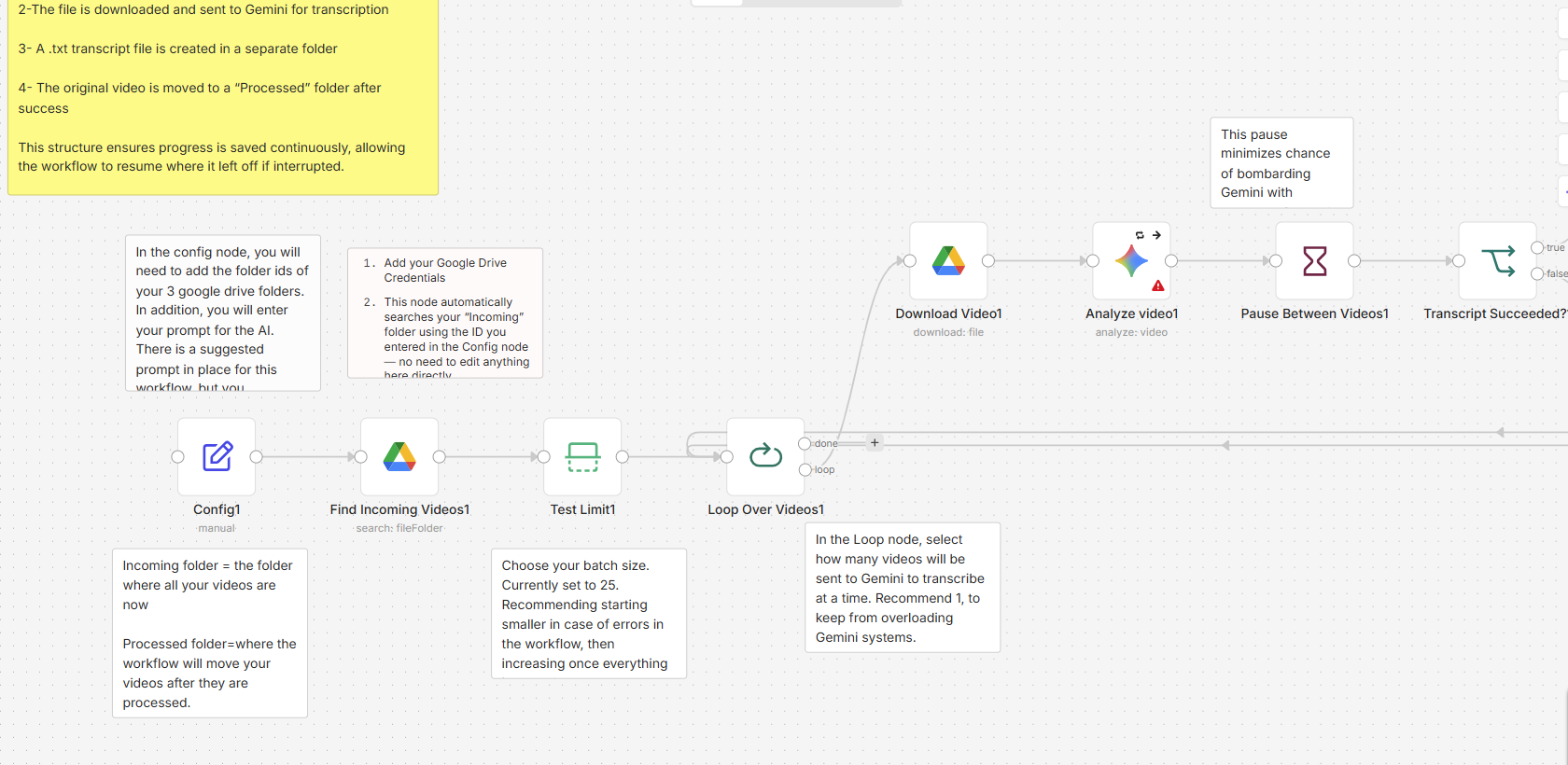
- Videos are pulled from an “Incoming” folder
- The file is downloaded and sent to Gemini for transcription
- A .txt transcript file is created in a separate folder
- The original video is moved to a “Processed” folder after success
This structure ensures progress is saved continuously, allowing the workflow to resume where it left off if interrupted.
How to set up
- Create three Google Drive folders:
- Incoming (source videos)
- Processed (completed videos)
- Transcripts (output files)
- Add your folder IDs to the Config node
- Connect your Google Drive and Gemini credentials
- Run the workflow using the Manual Trigger (or Schedule Trigger for automation)
Requirements
- n8n instance (cloud or self-hosted)
- Google Drive API credentials
- Google Gemini API access
- Video files stored in Google Drive
How to customize the workflow
- Adjust the transcription prompt in the Config node for different output styles
- Modify the Wait node to control processing speed and avoid rate limits
- Change file naming conventions in the formatting node
- Add logging or notifications for failed transcriptions
- Extend the workflow to combine transcripts into a single master document
Reviews
There are no reviews yet.